






intoPIX
  • ★ NAB 2025 PRODUCT OF THE YEAR ·  IPMX CERTIFIED 2026

    TitaniumViewer

    Access any SMPTE 2110 or IPMX stream on your PC

    intoPIX TitaniumViewer turns a standard Windows workstation into a professional IP video monitor.
    Subscribe to single or multiple ST 2110 streams in one click, display up to 4× FHD or 1× 4K60, and keep the network you already have.

    Download Free Trial
    지금 구매하기
    AWARDS & CERTIFICATIONS
    NAB 2025 Product of the year
    Best of show - InfoComm 2025
    IPMX certified 2026
SMPTE ST 2110
IPMX / VSF TR10
NMOS IS04/05
AES67 audio
PTP follower
Multi-viewer + 4K60

TitaniumViewer​

Seamless Display for SMPTE ST 2110 and IPMX Networks 

intoPIX TitaniumViewer is a high-performance media viewer that delivers ultra-low latency, effortless playback of SMPTE ST 2110 or IPMX sources on standard workstations, PC or laptops. In studio or field environments, the app is ideal for critical video distribution, source monitoring, and multi-viewer applications.


intoPIX TitaniumViewer receives live uncompressed HD video (ST 2110-20 / IPMX), JPEG XS video (ST 2110-22 / IPMX) and audio (ST 2110-30 / IPMX / AES67) via the integrated GigE interface, typically using 1GbE or 2.5GbE found on most workstations. The synchronized audio is extracted and played back in perfect harmony with the video, ensuring an optimal viewing experience. intoPIX TitaniumViewer allows you to display or monitor JPEG XS video streams with resolutions up to Ultra HD 4K.


NMOS Control is fully integrated in the software, so you can directly subscribe to the source(s) that you want to display!


주요 이점

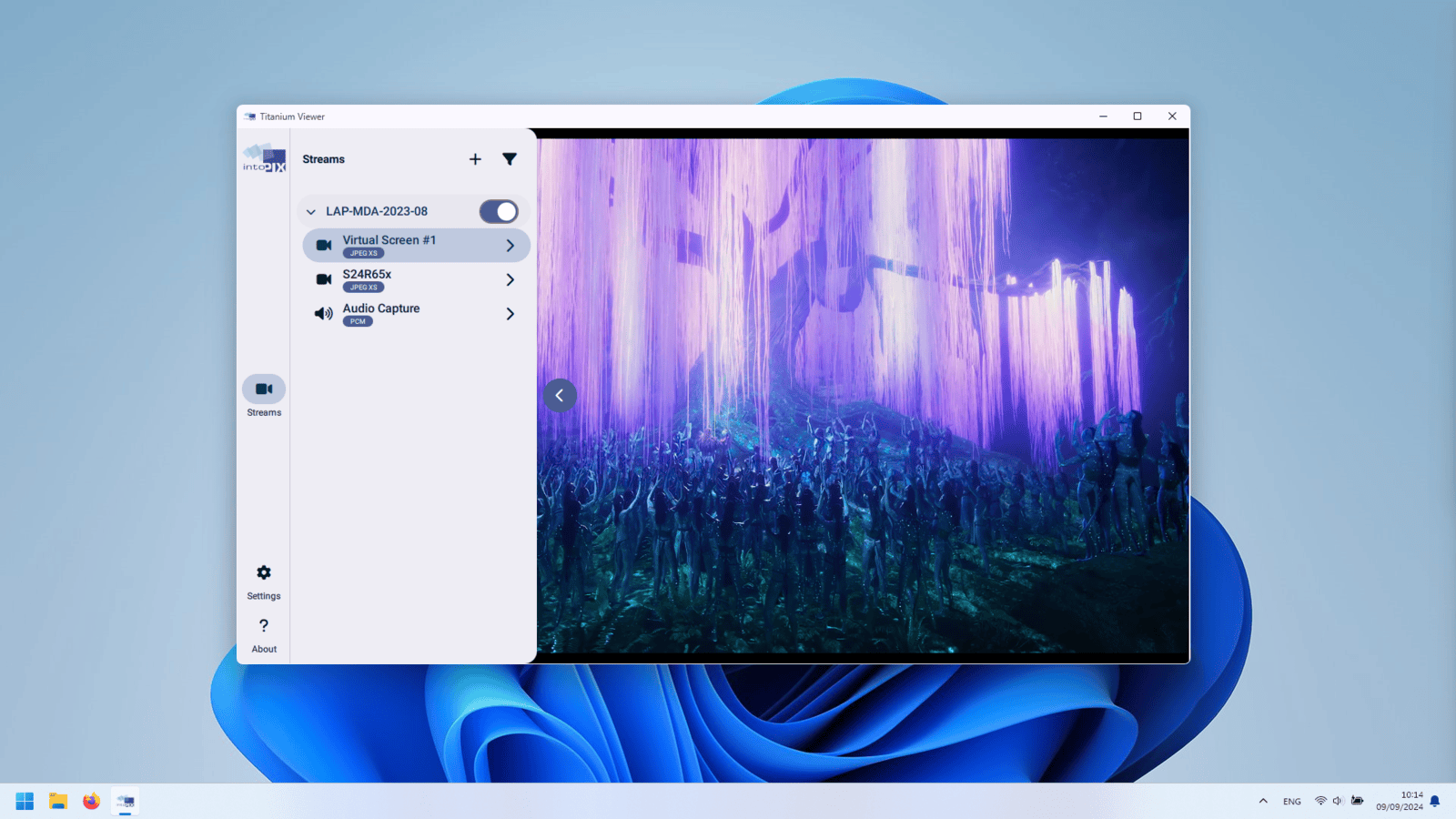
Subscribe to One or multiple AV streams – in a single click
Discover, select and receive multiple SMPTE ST 2110 and IPMX sources, using the built-in NMOS discovery panel. Synchronized playback is maintained between audio and video sources, in both PTP & non-PTP environments.

Secure IPMX workflows are also supported through the Privacy Encryption Protocol (PEP), ensuring protected content transported across the network can be received.

Integrated PTZ Control

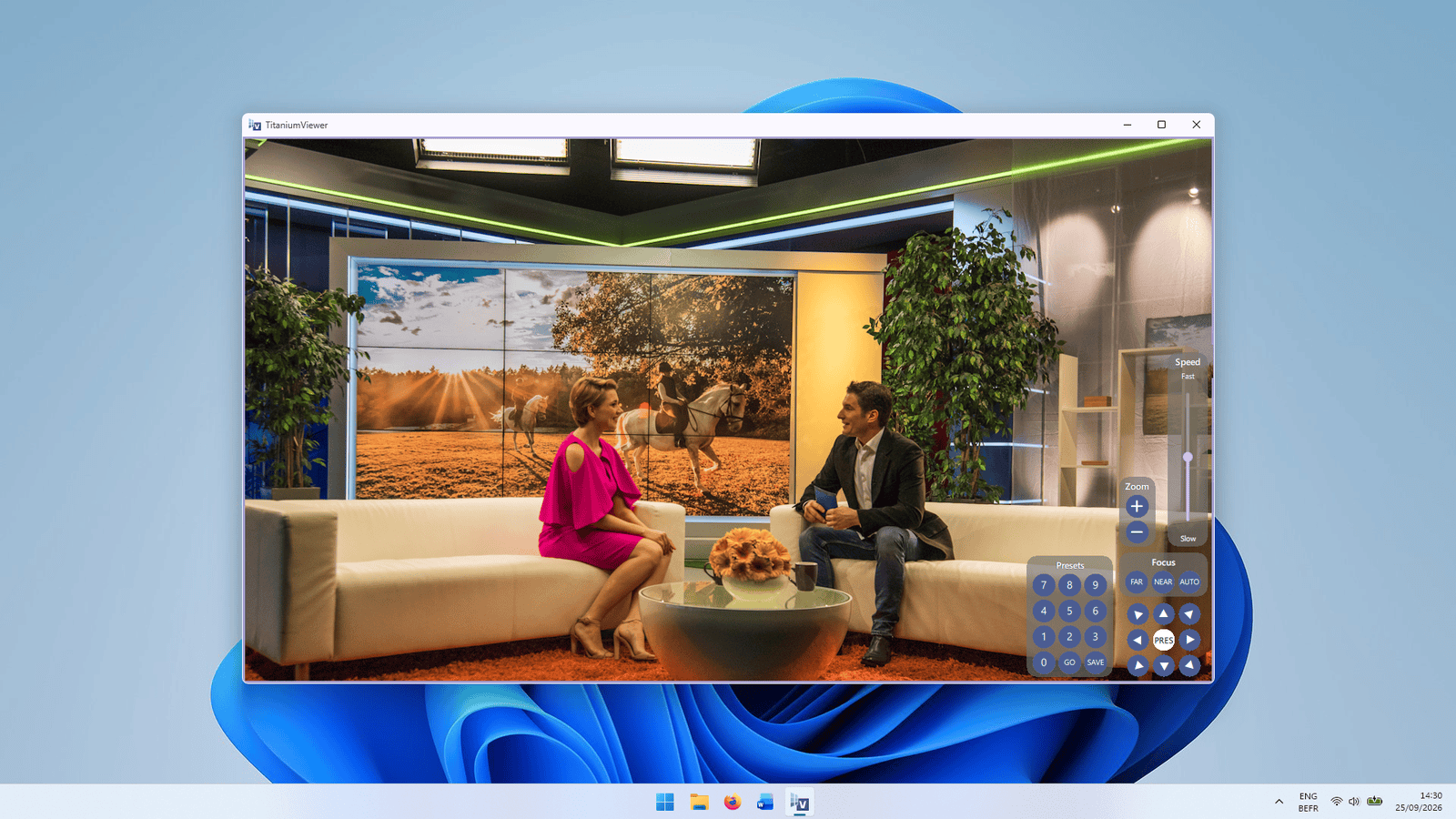
Take control of connected PTZ cameras directly from intoPIX TitaniumViewer. Pan, tilt, zoom and recall camera presets, without requiring additional control software.

Flexible Layouts – no delay, instant display
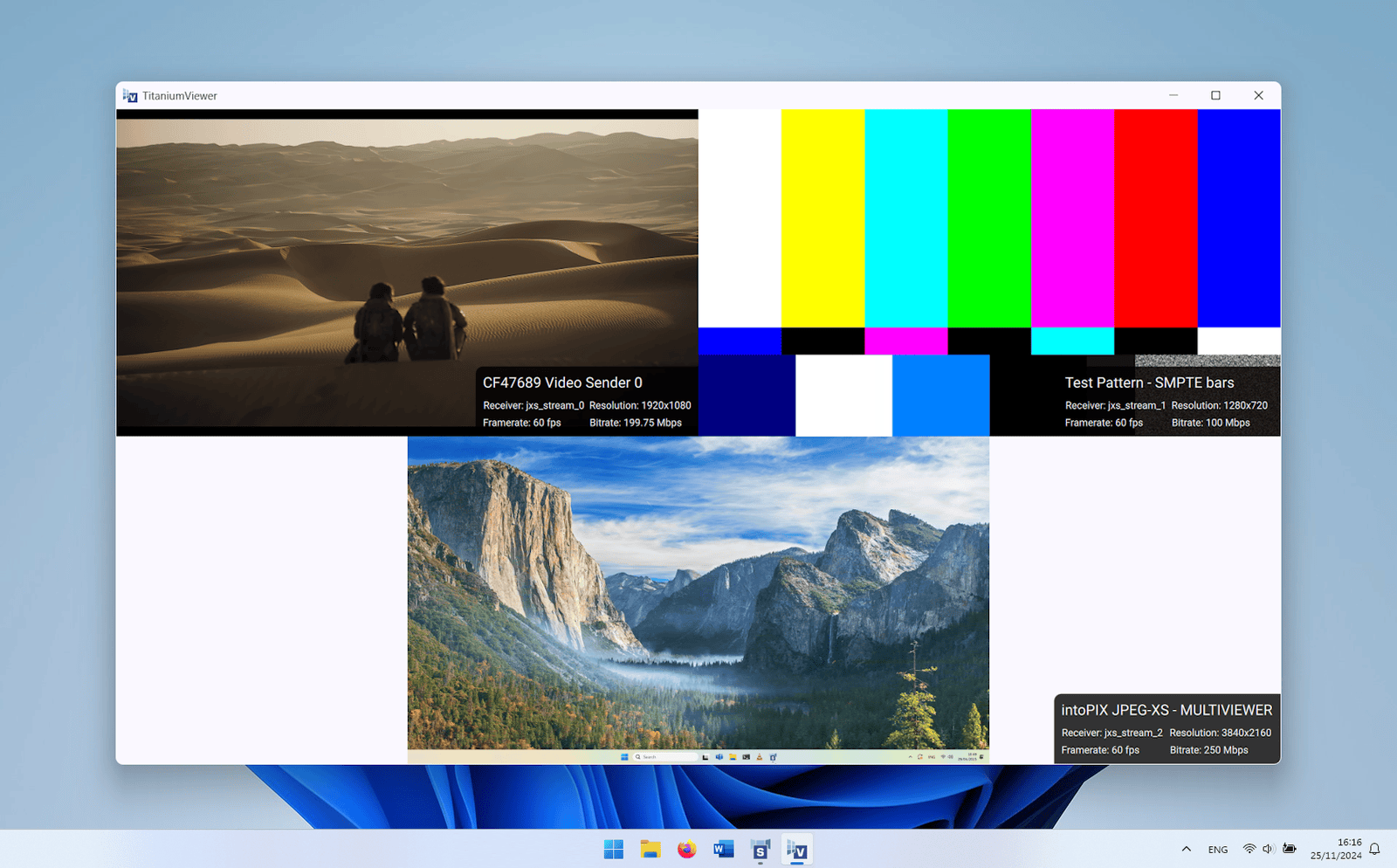
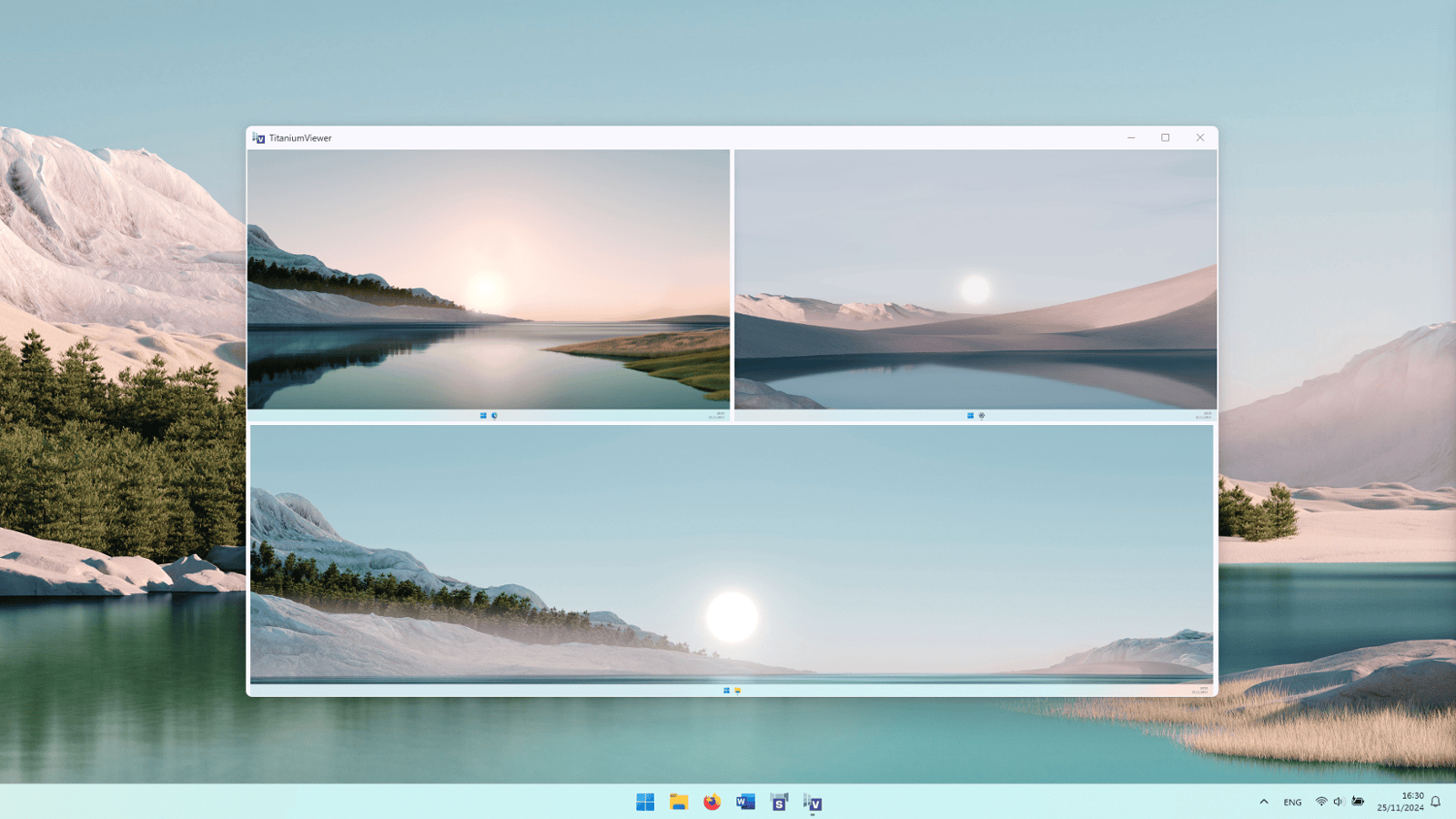
Choose between a full-screen mode or a 2x2 multiview mode. Receive one uncompressed HD (e.g., 1080p30, 1080i60, 720p60) source, one 4K60 JPEG XS source, or four 1080p60 JPEG XS sources, including support for Temporal Differential Coding (TDC).

Accomodate any format: YCbCr / RGB formats, 4:2:2 / 4:4:4 color subsampling, at 8- / 10- / 12-bit depths. Perfect for Live Production, Pro-AV signal distribution and remote Post-Production / Colour Grading.

Real-time Source insights, right on screen

View stream information in overlays in intoPIX TitaniumViewer, on all subscribed video channels. Enjoy immediate access to relevant stream information (resolution, address, bitrate...) to troubleshoot your network and make sure sources will properly integrate with downstream systems.

AV workflows, unlocked in one click

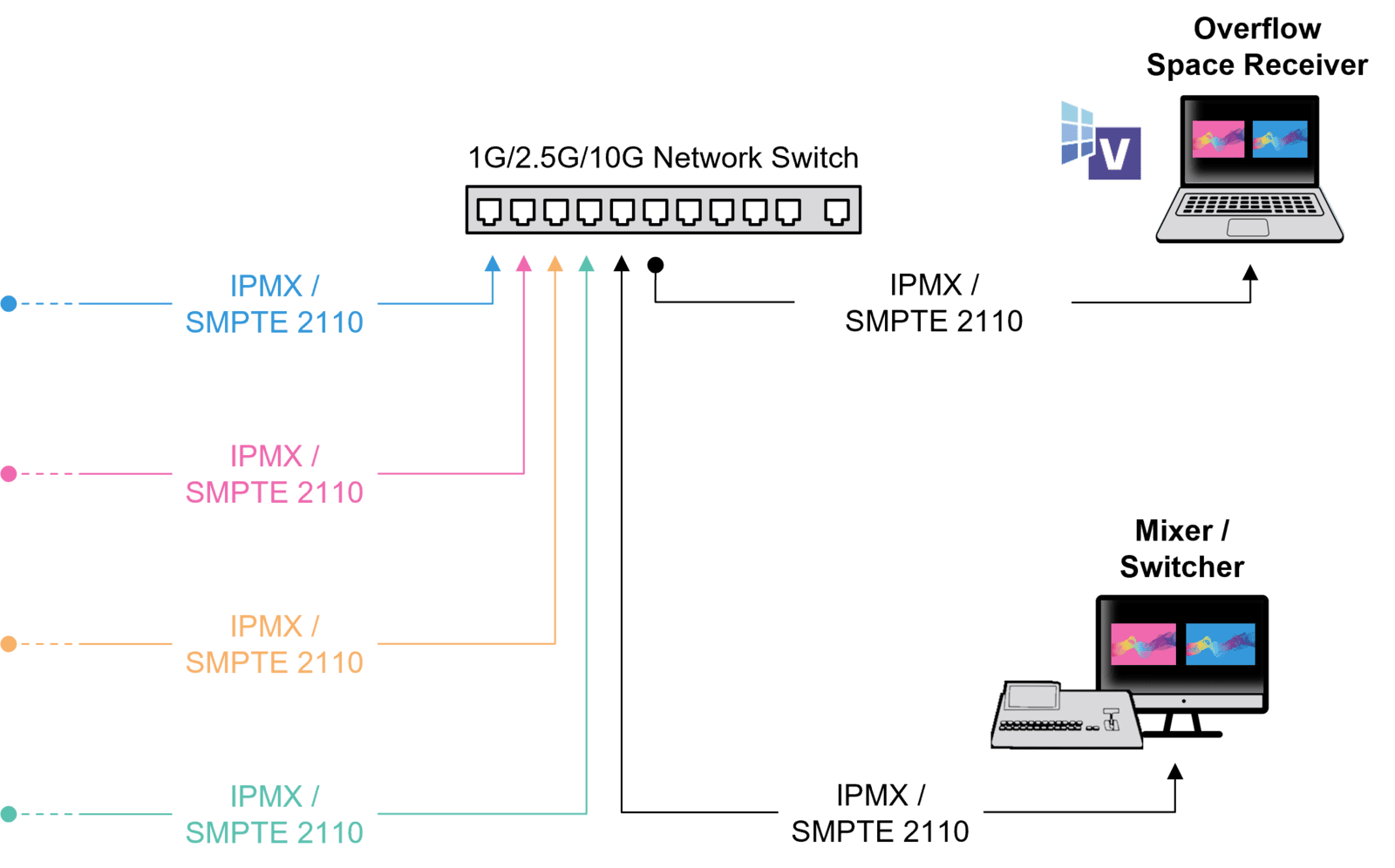
Overflow Space

Turn any PC into a standalone viewer endpoint, for audiences in corporate/education overflow spaces 
•   Turn your PC into a flexible and standalone video viewer endpoint, ideal for overflow rooms
•   Machine can be repurposed, depending on the event configurations

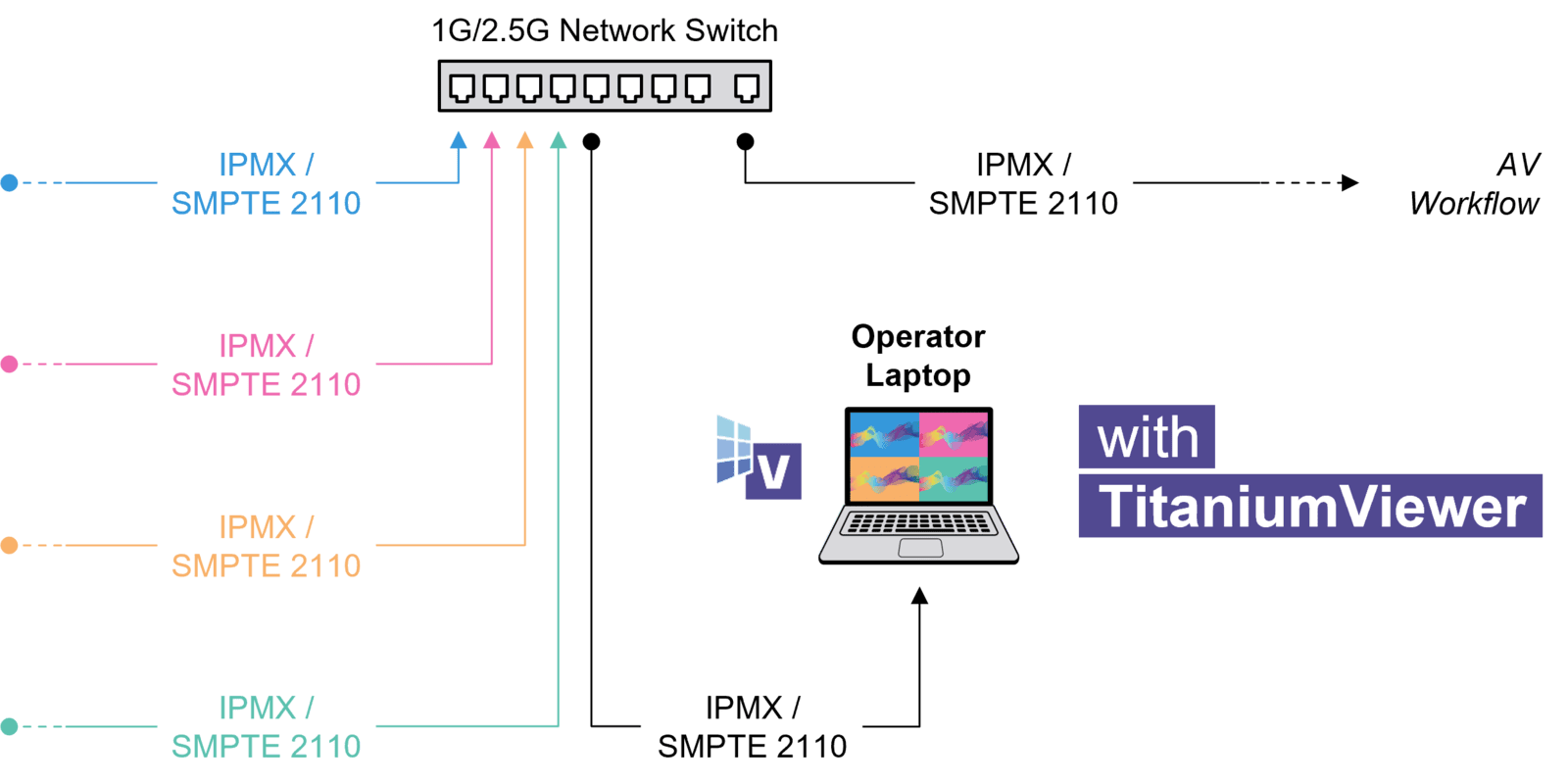
Control room at your desk

Monitor and manage several camera angles and AV content… from an operator workstation
•    Easy remote viewer, ideal to select and display the right shots during the live production. 
•    No need for dedicated fiber connection and standalone IP Converters
•    Manage and adjust camera settings, using the embedded PTZ camera controller.

🔗 COMPLETE YOUR WORKFLOW WITH TITANIUMSHOW

TitaniumViewer + TitaniumShow — try both free for 14 days
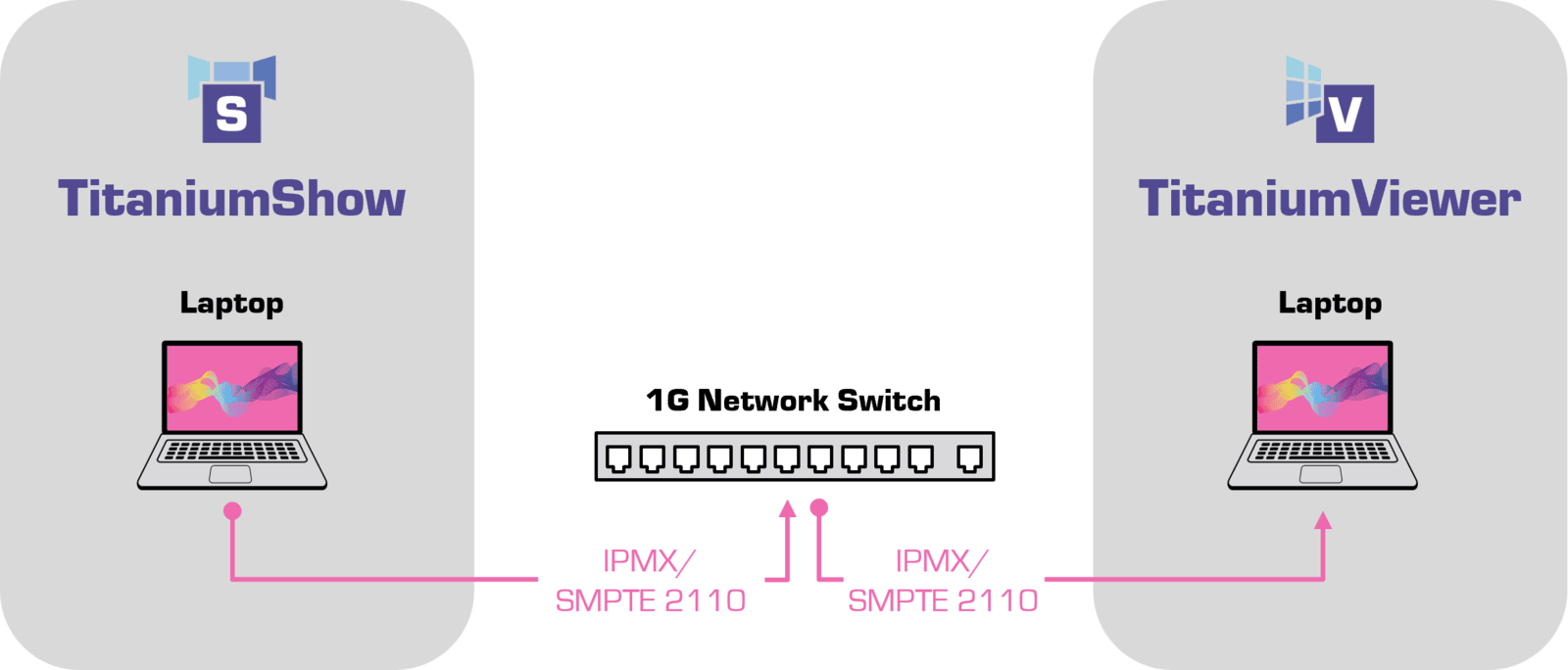
TitaniumShow turns any PC into a SMPTE 2110 source. Together, two laptops and a standard switch give you a complete send-and-receive IP video demo — no additional hardware required. Ideal for evaluation before a larger deployment.

Try both free
Learn about TitaniumShow

최소 하드웨어 요구 사항 ​

TitaniumViewer를 테스트하고 배포하는 데 필요한 하드웨어는 다음과 같습니다:


IPX-TitaniumViewer
  • 하나에서 여러 개의 HD 스트림 보기 (최대 4개)
  • View single 4K60 or 5K60 (1440p) stream
 Processor 
(if CPU-based coding)
Intel i5 12th generation (min. 2 Performance-cores) or better 
(GPU-기반 코딩인 경우)
 Intel i5 9th generation or better
with Nvidia GPU GTX 10 or better
메모리8 GB of RAM (Dual-channel memory is preferred)
네트워크 인터페이스표준 유선 1Gb/s
운영 체제Windows 10 이상, 64비트
위의 최소 시스템 사양은 일반적인 동영상 애플리케이션과 함께 Titanium 앱이 제대로 작동하기 위한 요구 사항을 충족합니다. 
Titanium 앱을 상당한 컴퓨팅 리소스가 필요한 다른 애플리케이션과 함께 사용하는 경우, 더 강력한 컴퓨터가 필요할 수 있습니다.

gET STARTED​

Choose how you want to start with TitaniumViewer

Free 14-day trial

Try on your own hardware. Download link within 1 business day. No credit card.

Request trial
Buy a license

Purchase online. Ideal for single seat. Includes 2 years of free updates. Instant delivery. 
지금 구매하기
Volume or integration

Buying in bulk, deploying at scale or specifying for a client project? Find a certified distributor or contact our team.
문의

기능을 놓치셨나요?

저희 제품에 빠진 게 있나요? 여기에 메시지를 남겨서 알려주세요! 

필요한 기능을 설명해 주세요. 더 자세히 공유할수록 좋습니다.

기능 요청 보내기